
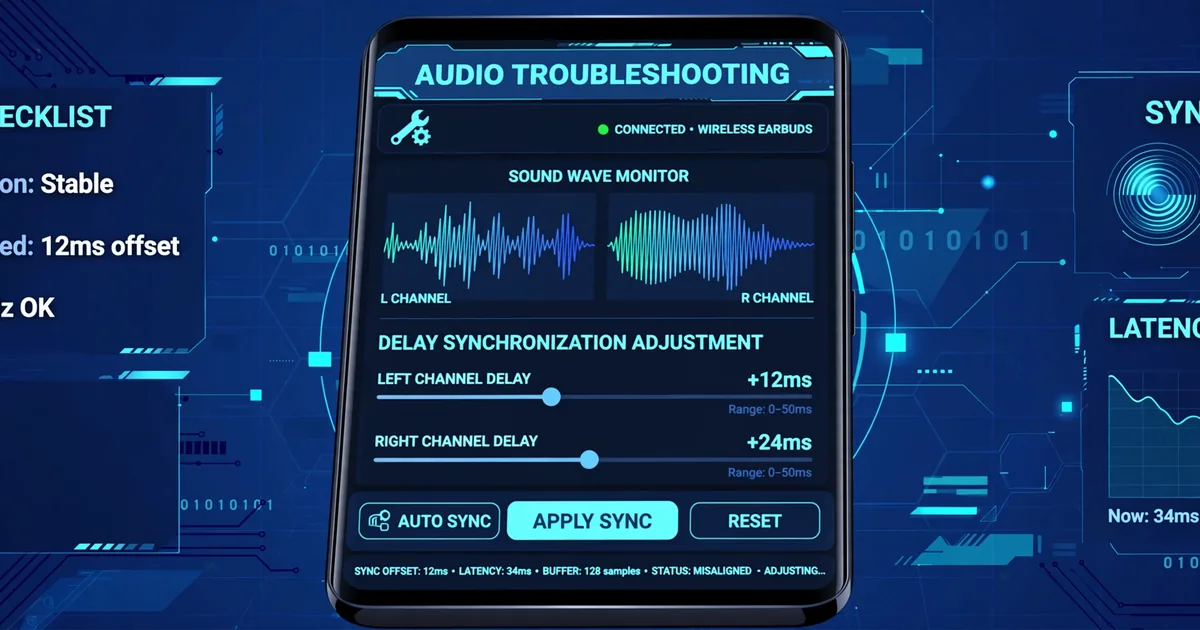
SongHub Audio Latency Fix: Sync Your Microphone With the Music
You sing the note right on the beat, but what comes out of the speaker lands a fraction late. That disorienting slap-back is audio latency, and it makes even good singers sound off time. The good news: latency in SongHub is almost always fixable, and the fixes run from free to cheap. Get SongHub from the official SongHub download and work through this guide in order.
Latency is measured in milliseconds. Under 20ms feels instant. Around 50ms feels like a slight echo. Past 100ms, singing becomes genuinely hard because your brain hears two versions of your voice: the one in your head and the delayed one from the speaker. Your goal is to get the chain under 30ms, where it stops mattering.
Where the Delay Comes From
Your voice takes a journey: microphone to phone input, through the audio system, mixed with the MIDI backing track, then out to the speaker. Every hop adds a few milliseconds. The two big contributors are the connection type and the audio buffer. Bluetooth is the worst offender by far, adding 150 to 300ms on its own, which is why Bluetooth mics feel so strange for live singing.
The audio buffer is the second culprit. Your phone processes sound in chunks, and bigger chunks mean smoother playback but longer delay. Aggressive battery-saver modes can force larger buffers, which is why latency sometimes appears after an OS update or when the battery runs low.
Measure Your Delay First
Do the clap test. Play a song with a strong beat, hold the mic near the speaker, and clap once sharply. Listen for the gap between your real clap and the amplified clap from the speaker. A tiny flam means small latency; a distinct echo means big latency. Alternatively, record a short test and look at the waveform: the gap between the beat and your voice onset is your delay in plain sight.
The Fixes, in Order
- Ditch Bluetooth for the mic. This single change fixes most latency complaints. A wired mic or a UHF wireless system is effectively instant. See our microphone guide for low-latency picks.
- Wire the speaker too. If the music goes to the speaker over Bluetooth while your mic is wired, you still hear the delay. An aux cable from phone to speaker removes it. Our speaker guide notes which models have wired inputs.
- Shrink the audio buffer. In SongHub audio settings, try a smaller buffer size. Go one step at a time: too small causes crackling, which means you went too far. Find the smallest setting that plays clean.
- Kill battery saver. Disable battery optimization for SongHub and plug the phone into power during sessions. Power saving throttles exactly the audio processing you need.
- Close background apps. Every app competing for audio resources adds jitter. A fresh restart before an important session is cheap insurance.
When It Is Not Really Latency
Sometimes what feels like delay is something else. If the backing instruments stutter or the lyrics lag behind the music, the phone may be struggling to render the SoundFont in real time. Try a lighter SoundFont file, our SoundFont guide explains the tradeoffs. If audio cuts out entirely or the app misbehaves, run through the not working fixes checklist before assuming latency.
The Latency-Free Party Setup
For a night where latency can never intrude: wired mic into a small mixer, mixer into a wired speaker, phone on charger with battery saver off, background apps closed. It sounds like a lot, but it is five minutes of setup for a whole evening where every singer hears themselves exactly on the beat. Once you have sung with zero latency, you will never go back.
Frequently Asked Questions
What causes microphone delay in SongHub?
The delay comes from the audio chain: the mic signal travels through the phone audio system, gets mixed with the music, and comes out the speaker. Bluetooth adds the biggest chunk, often 150 to 300 milliseconds, while wired setups are near instant.
Can I fix Bluetooth microphone latency completely?
You can reduce it but not eliminate it. For serious singing, switch to a wired or UHF wireless mic, which have effectively zero delay. Use Bluetooth only for casual listening, not for live vocals.
Does latency affect my recording?
Yes. If your voice reaches the mix late, the recording captures that lateness. Fix the monitoring delay first and your recordings will line up properly.
Why did latency suddenly appear when it was fine before?
Usually a settings or connection change: a Bluetooth device reconnected, a battery-saver mode throttled audio processing, or an OS update reset the audio buffer. Work through the checklist below and it resolves.